How to use Fretboard Skeleton Key
Fretboard Skeleton Key draws chords, scales, arpeggios and progressions on the whole neck of a guitar in standard tuning, in any key, with the note name and the degree on every dot. It runs in your browser, it's free, and there's no account to make. This page explains what each part does, organized by what you came to look at.
I'm a guitarist and an enthusiast, the same as you. I built this app for my own practice, and it has a few functions I think are unique, so I'm sharing it. There's nothing to buy. Use it, share it, and tell other players about it.
The top bar
The key menu and the major or minor menu at the top set the key for the whole page. The fret arrows move the key up or down a half step, so the shape you are looking at slides one fret and takes the new key's name. The CAGED button turns the shape brackets above and below the neck on and off. The flats button switches between flat and sharp spelling where both are used, and the fret menu matches the neck to your guitar, from 17 to 24 frets.
Under the neck, three buttons open the main functions: Chords, Scales and Progressions. One of them is open at a time.
If you're here for chords
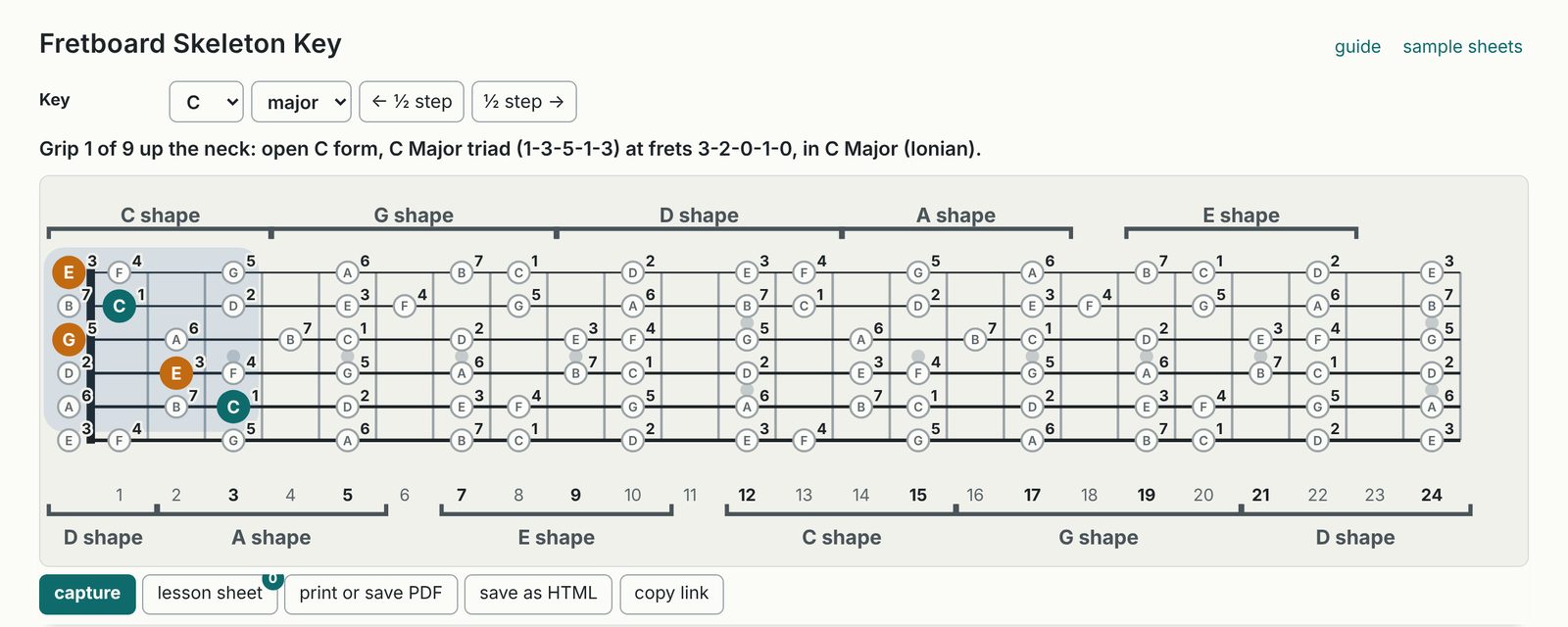
Open Chords and press a numeral to choose a chord in the key. The numerals follow the key, so in C major they read I C, ii Dm, iii Em and so on through vii° Bdim. The chord type menu changes the size or quality of the chord, from triads through sevenths, sixths, ninths and the altered dominants.
The voicing menu chooses how the chord is played. Full chords gives the five CAGED forms and the barre chords, including the open chords at the nut. Below that you'll find close and spread triads on each string set, drop 2 and drop 3 grips, shells, guide tones, three-note rootless grips, dyads such as thirds and sixths, and the arpeggio. The grip arrows step through every place that voicing falls on the neck. The set arrows move the same voicing to the next string set up or down, and all grips on set draws every one of them at once.
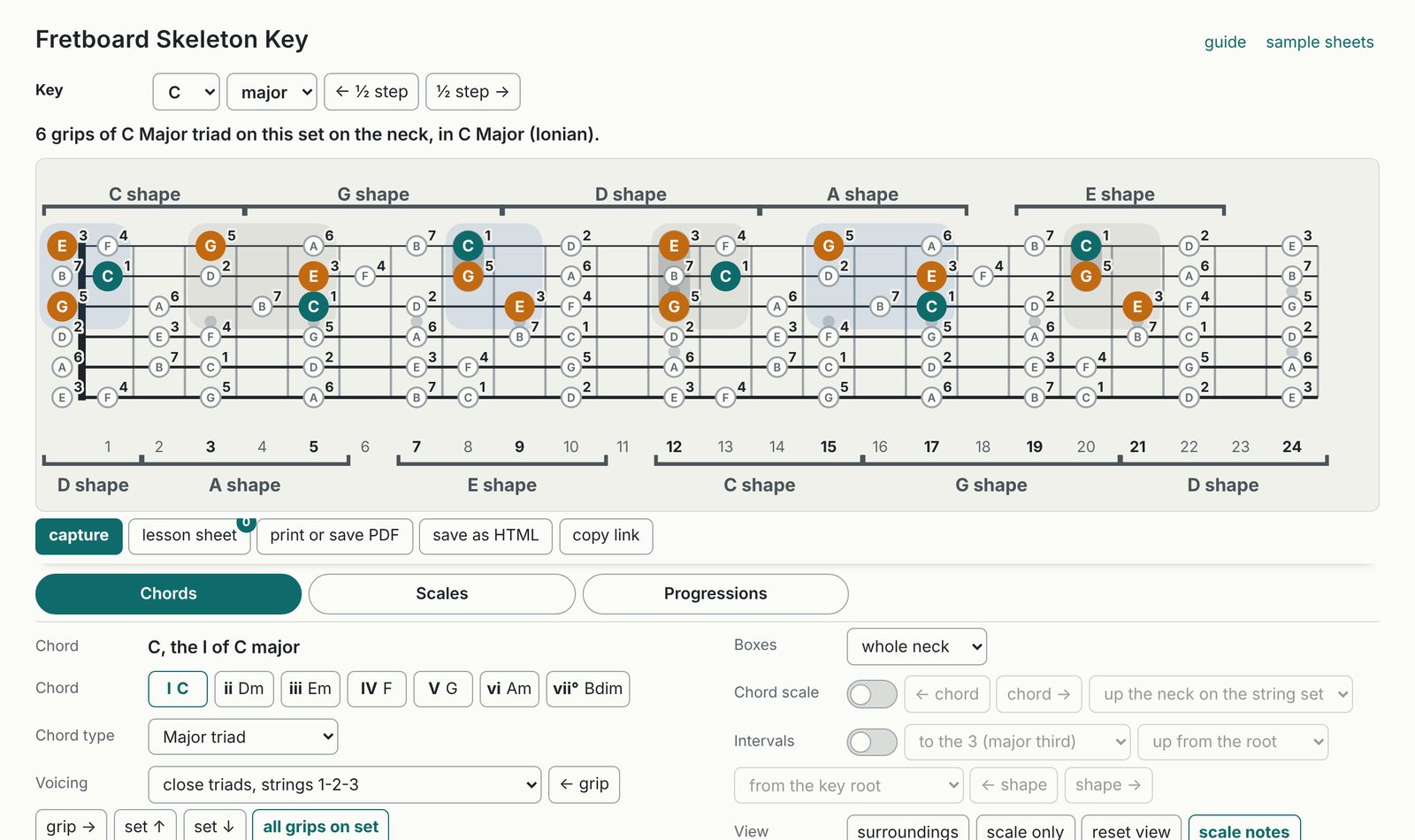
Try this: in C major, choose close triads, strings 1-2-3, then press all grips on set. Every C major triad on the top three strings appears, in all three inversions, up the whole neck.
If you're here for scales
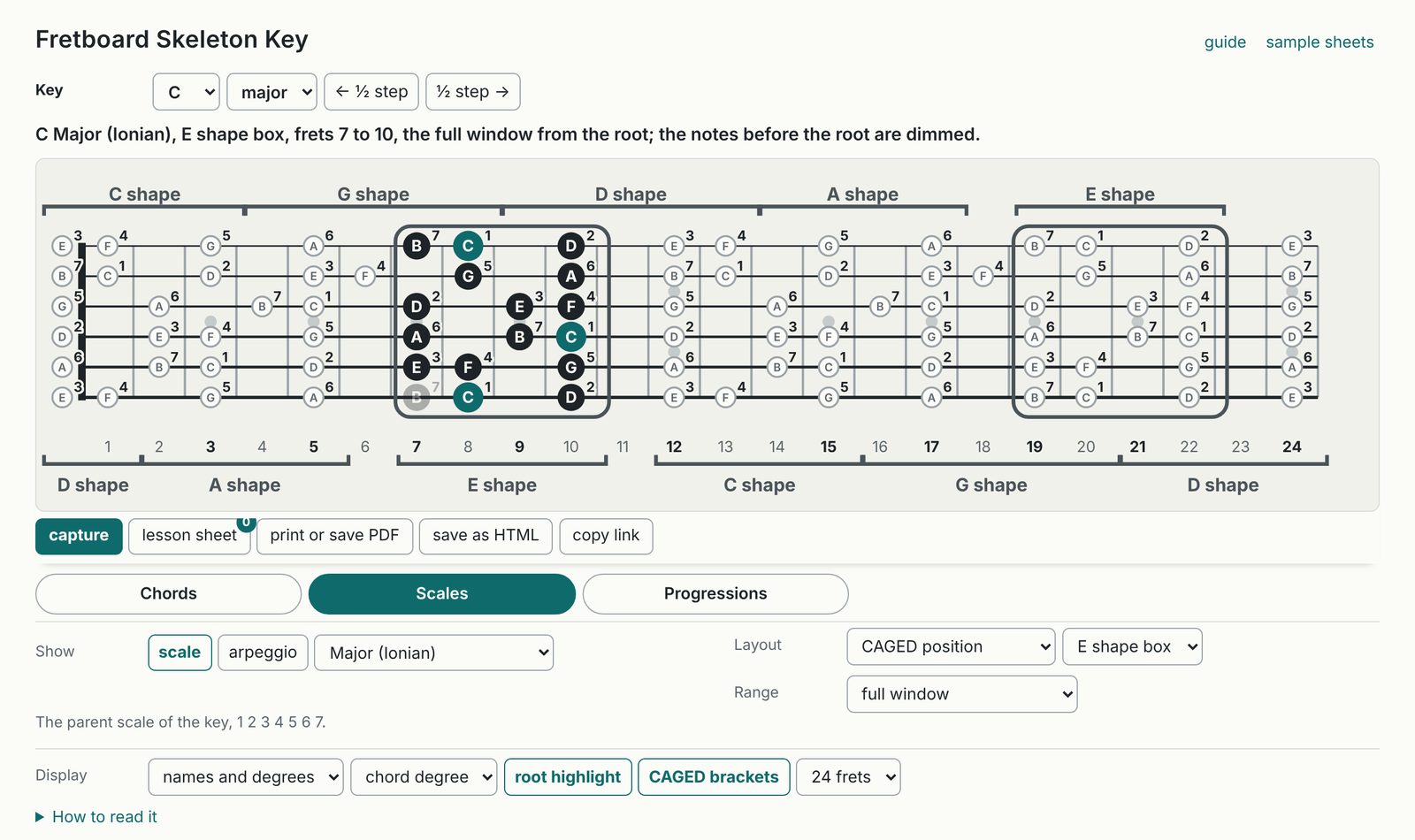
Open Scales and press scale. The scale menu covers the pentatonic and blues scales, the major scale and its modes, harmonic and melodic minor and the scales built from them, and the symmetrical scales. The layout menu draws the scale four ways: in a CAGED position, three notes per string in seven patterns, along a single string, and as octave fragments that run root to root. The shape arrows step through the positions or patterns, and the range menu keeps the view to one or two octaves from the root or opens it to the full position.
Try this: choose Major (Ionian) and CAGED position, then step through the five boxes in the box menu. That's the C major scale in all five CAGED shapes, one at a time.
If you're here for arpeggios
Open Scales, press arpeggio, then press a numeral to choose the chord. The chord type menu sets triad or seventh, and the layout menu draws the arpeggio inside a CAGED box or as one-octave shapes on a three-string set. Under Chords, the arpeggio choice near the end of the voicing menu marks every tone of the chord on the whole neck, or inside the box if you've chosen one.
If you're here for progressions
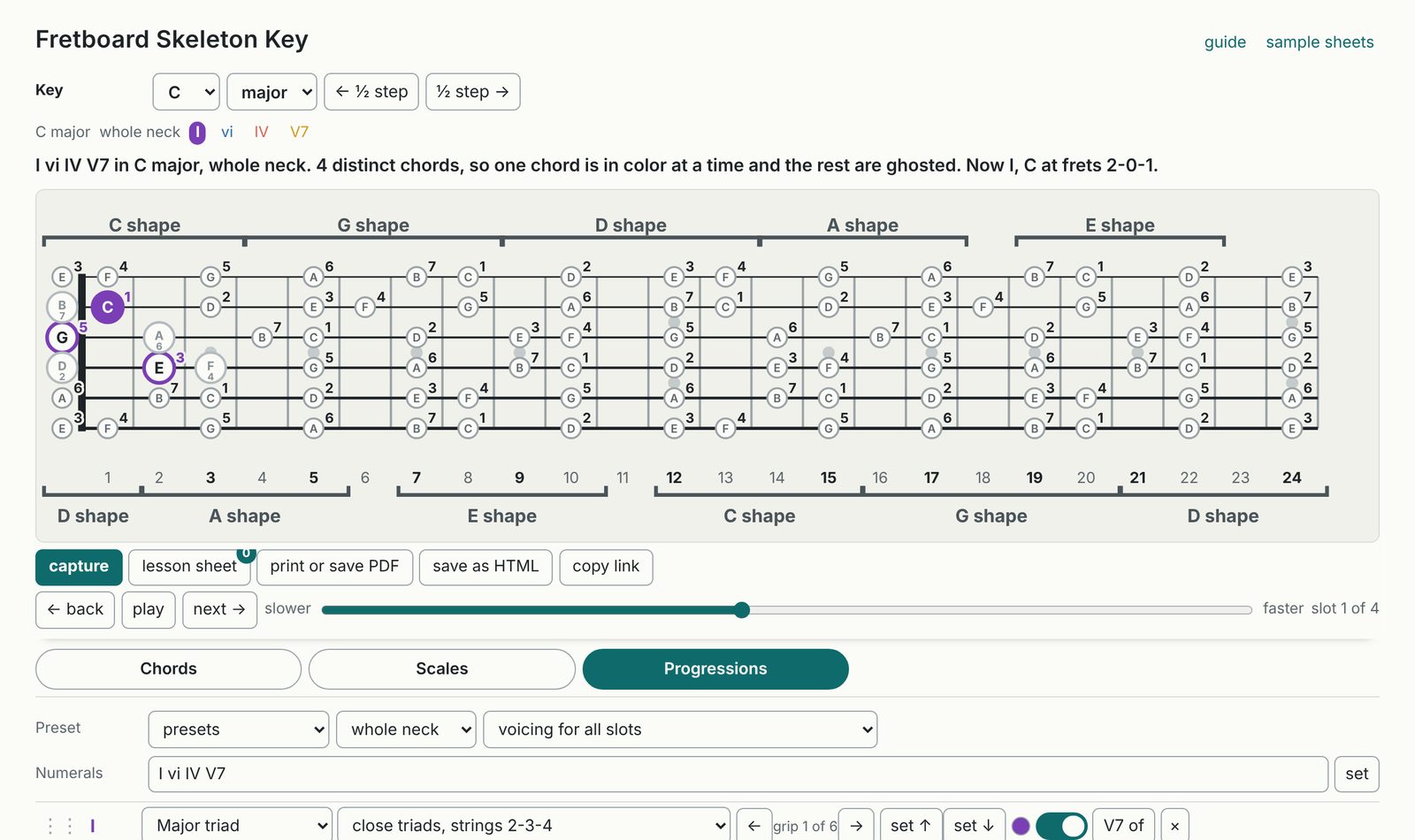
Open Progressions and pick a preset, or type the progression in the box and press set. You can type numerals, such as I vi IV V7, using lower case for minor, b or # in front of a borrowed chord and V7/ii for a secondary dominant. You can also type chord names, such as Am F C G, which are read against the key in the top bar.
Each chord gets its own color and its own row, where you can change its type, voicing and string set or step it to another grip. A note two chords share carries a ring split between their colors. With four or more chords, one chord is in color at a time, and the back, play and next buttons step through them.
Try this: in C major, type I vi IV V7 and press set, then choose a box in the box menu so every chord is played in one area of the neck.
Seeing a chord inside a scale
Under Chords, set the scale to from the key and choose a box. The scale then stays in place while you change chords, so you can see each grip inside the box it lands in. Surroundings draws the scale around the grip that is showing, and scale only hides the chord and leaves the scale on the neck.
Chord scales and intervals
The chord scale switch under Chords walks the seven chords of the key on the voicing that is showing, either up the neck on one string set or inside one box across string sets. The chord arrows step through them, and the other six chords stay on the neck as grey rings so you can see where they are. The intervals switch shows two notes at a time, the root and one other degree you choose, and the shape arrows step through every place you can play that interval.
Reading the dots
Teal is the chord root, orange marks the other chord tones, and the small pale dots are the rest of the scale. Each dot shows its note name inside and its degree beside it. The labels menu switches between dots only, note names, degrees and both, and the degree menu counts degrees from the chord, from the key or both. A dotted ring marks a chord tone outside the scale that is drawn, and a thick grey bar is a barre.
Making your own lesson sheets
Capture copies the neck as it is showing, with its caption, onto your lesson sheet. Capture as many views as you like, then press the lesson sheet button to see them together on one page. You can give the sheet a title, print it, save it as a PDF from the print window, save it as a web page, or save any single card as an image. The sheet stays in this browser on this device until you clear it, so you can close the page and come back to it later.
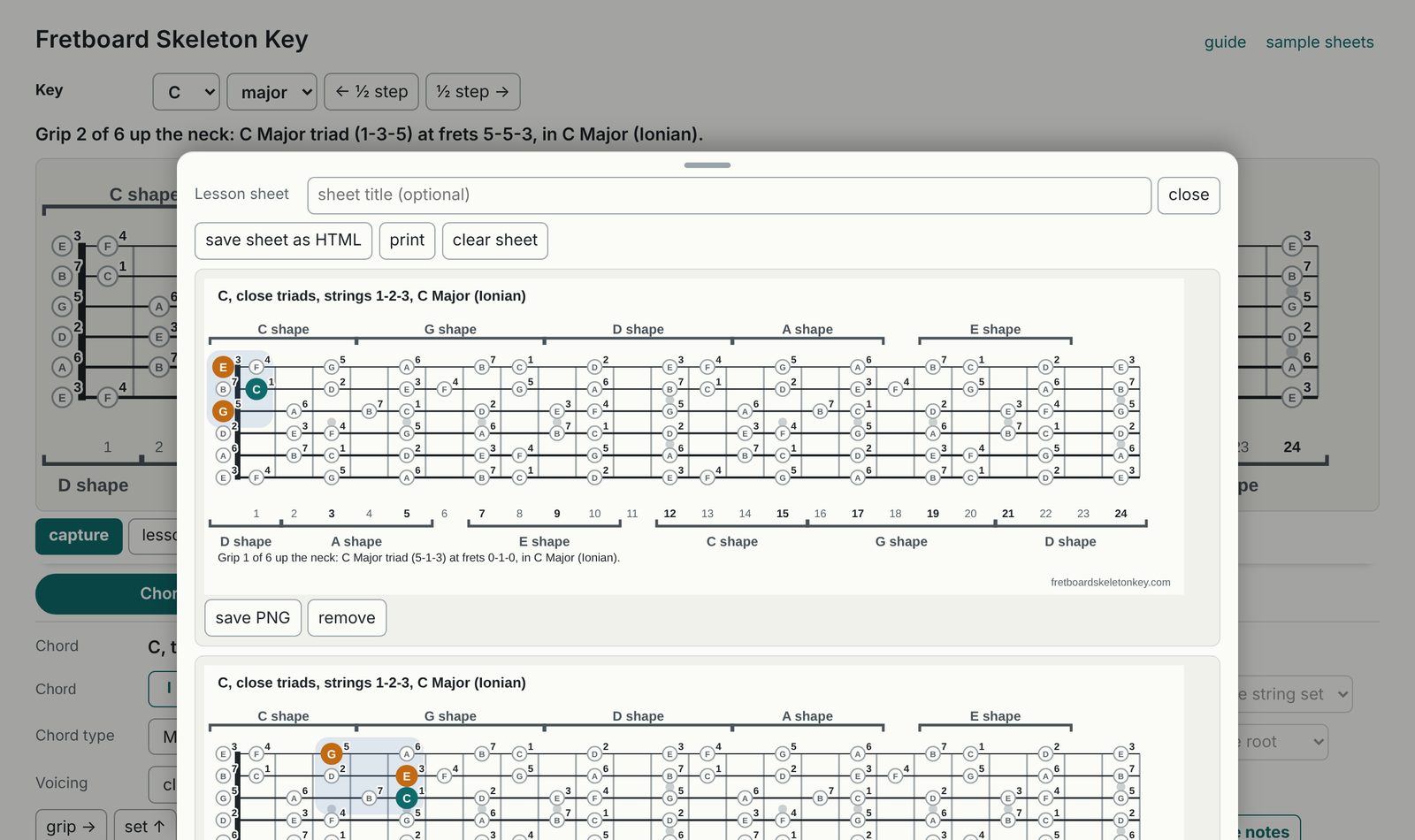
The sample sheets page has a few sheets made this way, ready to download.
Sharing a view
Copy link copies an address that opens the app in exactly the view you are looking at, with the same key, chord, voicing and boxes. Paste it into a message or a forum post, and whoever opens it sees what you see.
If you use CAGED, and if you don't
The CAGED brackets and boxes are there for players who think in those shapes, and the CAGED button turns the brackets off. Everything else works the same without them, including the three-notes-per-string and single-string scale layouts, the voicings on each string set, the progressions and the lesson sheet.